
第一步:在浏览器中输入某地区[国家企业信用信息公示系统]网址(文末附有各地区公示系统网址哦!),进入地区公示系统主界面(此处以上海为例)
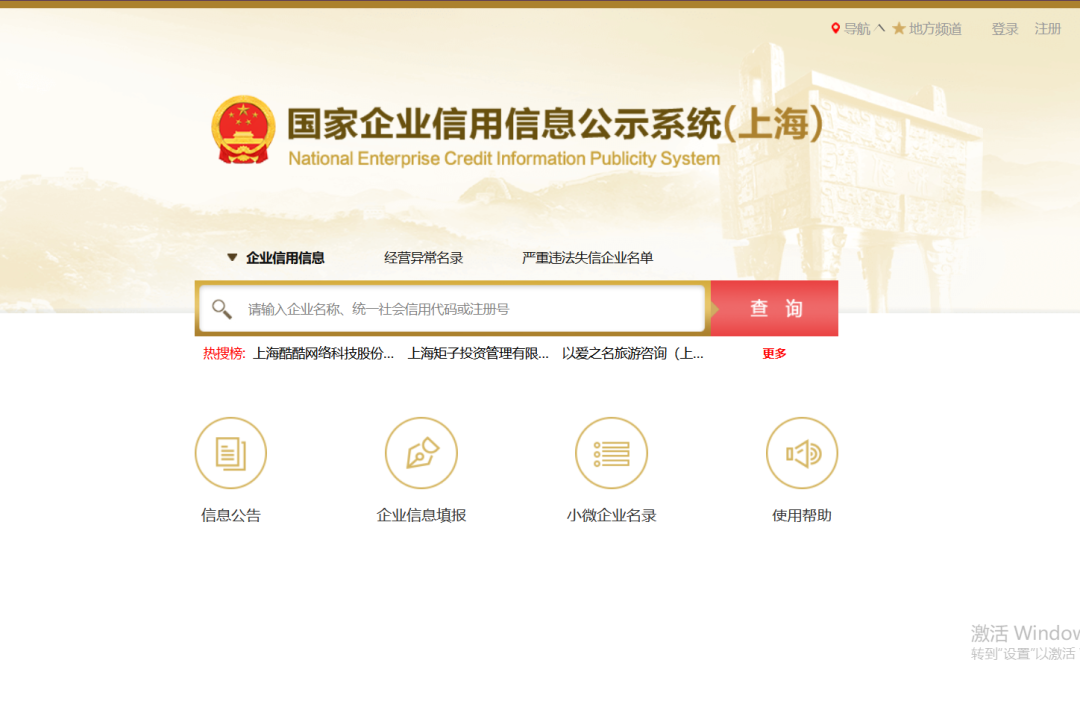 图1 公示系统(上海)主界面
第二步:点击[企业信息填报],进入年报系统。
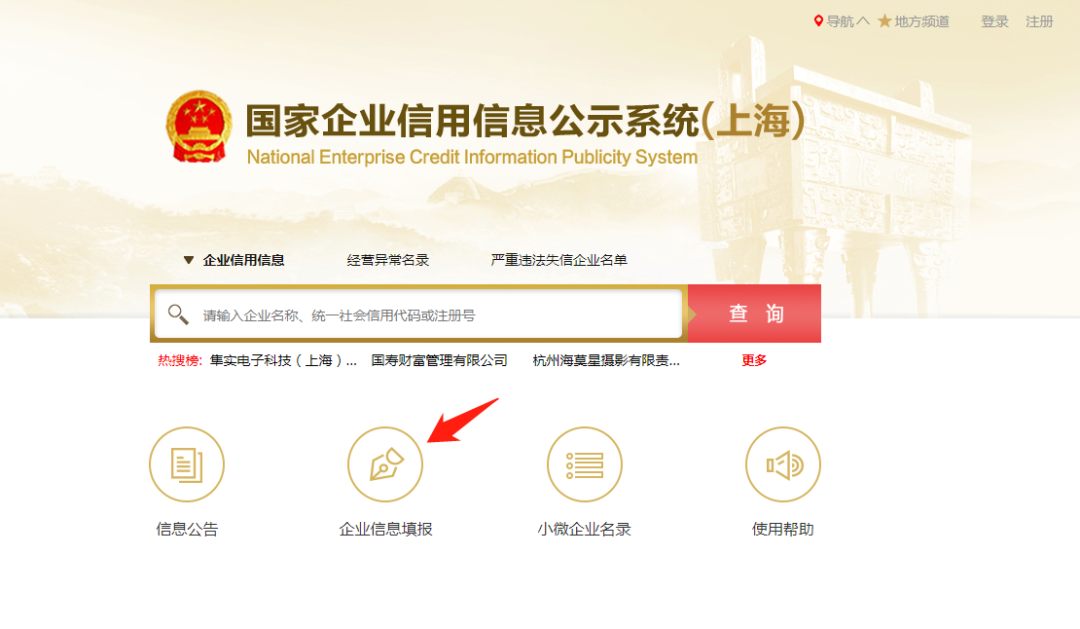
第三步:使用微信、支付宝电子营业执照小程序[扫一扫]功能,扫描页面中的登录二维码,在手机上选择登录企业的电子营业执照。(注:首次登录请先下载电子营业执照。1)点击这里了解“手机下载电子营业执照操作流程”;2)如果您不是法定代表人,请点击这里查看“办事员如何授权和下载电子营业执照”)
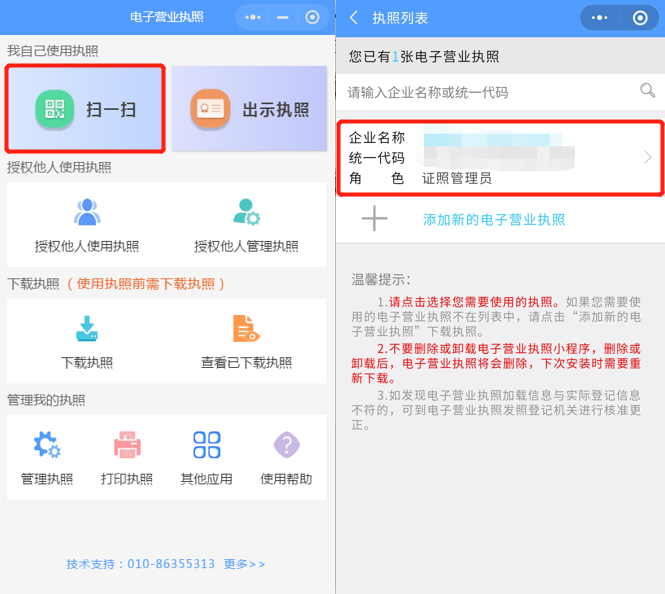
图4 电子营业执照“扫一扫”界面
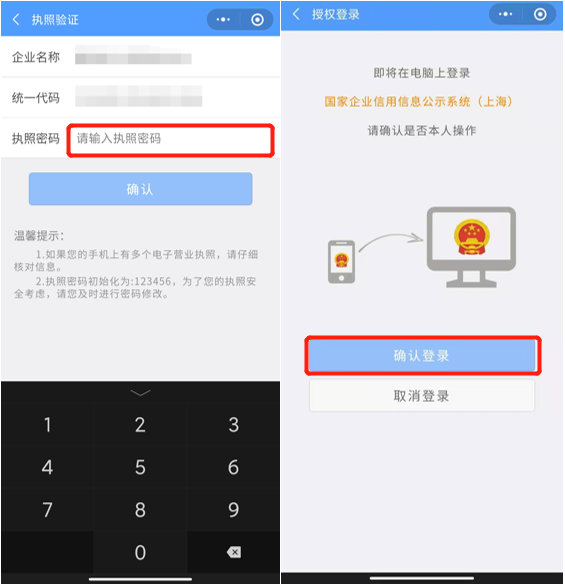
第五步:选择企业执照后,在执照验证页面输入执照密码并点击[确认],手机显示“授权登录”页面,点[确认登录]即可。
第四步:企业确认登录成功后,系统将自动跳转到年报填报界面,即可进行年报填写、公示信息填报等操作。
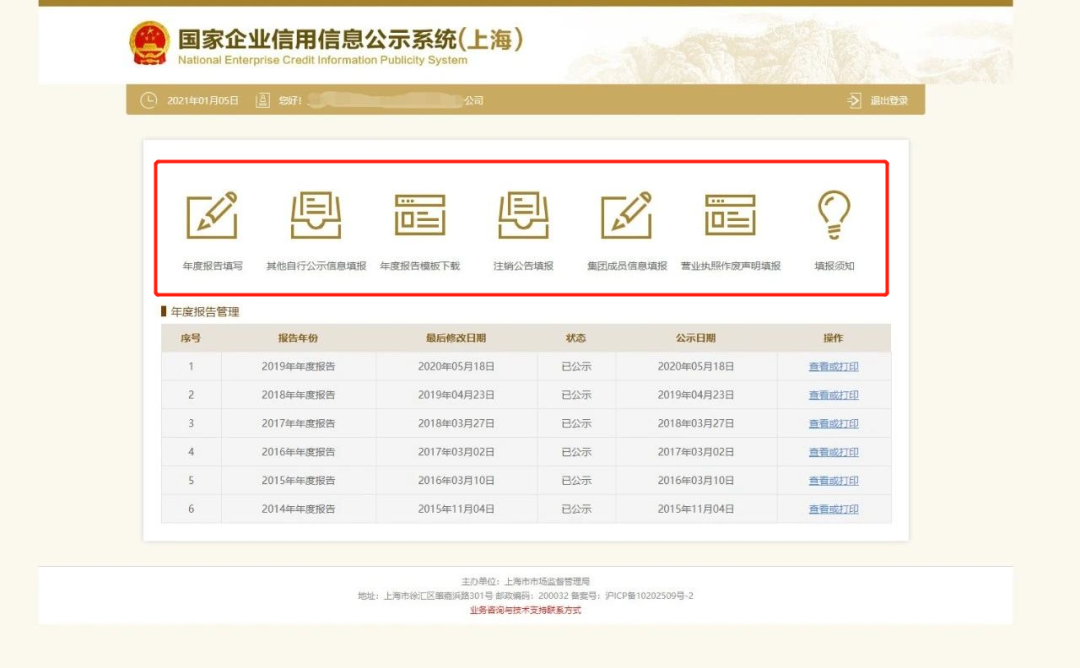
图6 公示系统业务办理界面


附:全国所有地区信用信息公示系统网址。
▶ 北京
http://bj.gsxt.gov.cn/index.html;
▶ 天津
http://tj.gsxt.gov.cn/index.html;
▶ 河北
http://he.gsxt.gov.cn/index.html;
▶ 山西
http://sx.gsxt.gov.cn/index.html;
▶ 内蒙古
http://nm.gsxt.gov.cn/index.html;
② 东北地区
▶ 辽宁
http://ln.gsxt.gov.cn/index.html;
▶ 吉林
http://jl.gsxt.gov.cn/index.html;
▶ 黑龙江
http://hl.gsxt.gov.cn/index.html;
③ 华东地区
▶ 上海
http://sh.gsxt.gov.cn/index.html;
▶ 江苏
http://js.gsxt.gov.cn/index.html;
▶ 浙江
http://zj.gsxt.gov.cn/index.html;
▶ 安徽:
http://ah.gsxt.gov.cn/index.html;
▶ 福建
http://fj.gsxt.gov.cn/index.html;
▶ 江西
http://jx.gsxt.gov.cn/index.html;
▶ 山东
http://sd.gsxt.gov.cn/index.html;
④ 华南地区
▶ 广东
http://gd.gsxt.gov.cn/index.html;
▶ 广西
http://gx.gsxt.gov.cn/index.html;
▶ 海南
http://hi.gsxt.gov.cn/index.html;
⑤ 华中地区
▶ 河南
http://ha.gsxt.gov.cn/index.html;
▶ 湖北
http://hb.gsxt.gov.cn/index.html;
▶ 湖南
http://hn.gsxt.gov.cn/index.html;
⑥ 西南地区
▶ 重庆
http://cq.gsxt.gov.cn/index.html;
▶ 四川
http://sc.gsxt.gov.cn/index.html;
▶ 贵州
http://gz.gsxt.gov.cn/index.html;
▶ 云南
http://yn.gsxt.gov.cn/index.html;
▶ 西藏
http://xz.gsxt.gov.cn/index.html;
⑦ 西北地区
▶ 陕西
http://sn.gsxt.gov.cn/index.html;
▶ 甘肃
http://gs.gsxt.gov.cn/index.html;
▶ 青海
http://qh.gsxt.gov.cn/index.html;
▶ 宁夏
http://nx.gsxt.gov.cn/index.html;
▶ 新疆
http://xj.gsxt.gov.cn/index.html;
▶ 兵团
http://bt.gsxt.gov.cn/index.html